FLUX 2.0 [klein]: Fast Image Generation & Editing in ComfyUI
![FLUX 2.0 [klein]: Fast Image Generation & Editing in ComfyUI](https://cdn.nextdiffusion.ai/tutorials/flux-2-0-klein-in-comfyui-fast-image-generation-and-editing-thumbnail-nd-nextdiffusion.webp?format=auto&width=3840&quality=100)
Table of Contents
1. Introduction
FLUX 2.0 [klein] is a high-performance model family for image generation and editing, designed for real-time creative workflows in ComfyUI. The Klein lineup offers 4B and 9B models as Base versions for full control, fine-tuning, and customization, alongside ultra-fast Distilled versions optimized for speed. The Distilled models complete generation in just four inference steps, making them perfect for rapid iteration, interactive applications, and low-latency workflows.
Designed with efficiency in mind, the 4B models can run on low-VRAM consumer GPUs with under 12GB of memory, while still delivering strong visual quality. Combined with unified support for text-to-image, image editing, and multi-reference generation, FLUX [klein] strikes an effective balance between speed, quality, and accessibility for both production and experimentation.
2. Requirements & Setup for Flux2.0 klein 4B and 9B models
Before using FLUX 2.0 [klein] in ComfyUI, it’s important to ensure your system meets the necessary requirements. First, make sure ComfyUI is installed and updated to the latest version. If you plan to experiment with the 9B Base or Distilled models, ensure you have sufficient VRAM—using cloud services like RunPod can be ideal for testing these (larger) models.
Requirement 1: ComfyUI Installed
You’ll need ComfyUI installed either locally or on a cloud GPU service.
-
Local Windows installation: Follow this guide:
👉 How to Install ComfyUI Locally on Windows -
Cloud GPU (e.g., RunPod): If your GPU is limited, you can run ComfyUI in the cloud using a persistent network volume. Step-by-step instructions are available here:
👉 How to Run ComfyUI on RunPod with Network Volume
Requirement 2: Update ComfyUI
Keeping ComfyUI updated ensures full compatibility with the latest workflows, nodes, models and features.
For Windows Portable Users:
-
Open the folder: ...\ComfyUI_windows_portable\update
-
Double-click update_comfyui.bat
For RunPod Users:
ts1 cd /workspace/ComfyUI && git pull origin master && pip install -r requirements.txt && cd /workspace
Or, via the Custom Node Manager in ComfyUI, click the “Update ComfyUI” button.
Requirement 2: Download Flux2.0 [klein] Model Files
FLUX 2.0 [Klein] provides unified models for both image generation and image editing, allowing you to choose between 4B and 9B model sizes, as well as Base or Distilled versions. Base models perform tasks using 25–50 steps, prioritizing quality and detail, while Distilled models complete the same tasks in just 4 steps, delivering faster results with slightly less refinement. This flexibility lets you select the optimal combination of speed and quality for your specific project needs.
Option 1: FLUX.2 [klein] 4B (Distilled) – FP8 Model
This FLUX.2 [klein] 4B Distilled model (4 step) is optimized for low-VRAM hardware, making it ideal for GPUs with 12GB or less while still delivering fast, high-quality image generation and editing.
| File Name | Download Page | File Directory |
|---|---|---|
| flux-2-klein-4b-fp8.safetensors | 🤗 Download Page | ..\ComfyUI\models\diffusion_models |
| qwen_3_4b.safetensors | 🤗 Download Page | ..\ComfyUI\models\text_encoders |
| flux2-vae.safetensors | 🤗 Download Page | ..\ComfyUI\models\vae |
Option 2: FLUX.2 [klein] 4B (Base) – FP8 Model
This FLUX.2 [klein] 4B Base model uses 25–50 steps per generation or edit, providing full flexibility and high-quality outputs. It is designed to run efficiently on consumer GPUs (e.g., RTX 3090/4070), making it ideal for users who want maximum control and fine-tuning without needing high-end hardware.
| File Name | Download Page | File Directory |
|---|---|---|
| flux-2-klein-base-4b-fp8.safetensors | 🤗 Download Page | ..\ComfyUI\models\diffusion_models |
| qwen_3_4b.safetensors | 🤗 Download Page | ..\ComfyUI\models\text_encoders |
| flux2-vae.safetensors | 🤗 Download Page | ..\ComfyUI\models\vae |
Option 3: FLUX.2 [klein] 9B (Distilled) – FP8 Model
This FLUX.2 [klein] 9B Distilled model runs in just 4 steps per generation or edit, offering ultra-fast, high-quality outputs. Unlike the 4B models, it is more VRAM-intensive, so a GPU with 24GB or more is recommended. It is ideal for users seeking high-resolution, detailed images with high-end consumer GPUs.
| File Name | Download Page | File Directory |
|---|---|---|
| flux-2-klein-9b-fp8.safetensors | 🤗 Download Page | ..\ComfyUI\models\diffusion_models |
| qwen_3_8b_fp8mixed.safetensors | 🤗 Download Page | ..\ComfyUI\models\text_encoders |
| flux2-vae.safetensors | 🤗 Download Page | ..\ComfyUI\models\vae |
Option 4: FLUX.2 [klein] 9B (Base) – FP8 Model
This FLUX.2 [klein] 9B Base model uses 25–50 steps per generation or edit, providing maximum flexibility and high-quality outputs. Like the 9B Distilled model, it is VRAM-intensive, so a GPU with 24GB or more is recommended. It is ideal for users who want full control, fine-tuning, and detailed, high-resolution images on high-end consumer GPUs.
| File Name | Download Page | File Directory |
|---|---|---|
| flux-2-klein-base-9b-fp8.safetensors | 🤗 Download Page | ..\ComfyUI\models\diffusion_models |
| qwen_3_8b_fp8mixed.safetensors | 🤗 Download Page | ..\ComfyUI\models\text_encoders |
| flux2-vae.safetensors | 🤗 Download Page | ..\ComfyUI\models\vae |
Requirement 3: HuggingFace Access Tokens for Model Downloads
Depending on which of the four FLUX.2 [klein] options you choose to try out, make sure you’re aware of the license for each model: the 4B models (Base and Distilled) are released under Apache 2.0, while the 9B models (Base and Distilled) are under the FLUX Non-Commercial License.
To download these models from HuggingFace, you’ll need to create an Access Token:
-
Go to your HuggingFace account → Access Tokens.
-
Click Create New Token and give it a name.
-
Scroll to Repositories permissions and search and add the following repos:
-
black-forest-labs/FLUX.2-klein-4b-fp8 (4B Distilled)
-
black-forest-labs/FLUX.2-klein-base-4b-fp8 (4B Base)
-
black-forest-labs/FLUX.2-klein-9b-fp8 (9B Distilled)
-
black-forest-labs/FLUX.2-klein-base-9b-fp8 (9B Base)
-
-
Scroll down and click Create Token.
With this token, you can download models securely—for example, within your workspace using RunPod:
ts1 wget -4 \
2  --header="Authorization: Bearer HF_TOKEN_HERE" \
3  https://huggingface.co/black-forest-labs/FLUX.2-klein-base-9b-fp8/resolve/main/flux-2-klein-base-9b-fp8.safetensors
In the example above, you can use this method to download the FLUX.2 [klein] 9B Base model. Simply replace HF_TOKEN_HERE with the HuggingFace access token you created, and make sure to update the download link if you want to download a different FLUX.2 [klein] model. This ensures you have proper access and can safely download the file.
3. Downloading and Loading the FLUX 2.0 (klein) Workflows in ComfyUI
There are two main FLUX 2.0 [klein] workflows you can download for ComfyUI. One workflow is designed for text-to-image generation, while the other is optimized for image editing. Downloading and loading these workflows allows you to quickly set up and start creating or modifying images with the FLUX models.
Step 1: Download the Workflow File (T2I or Image Editing)
Choose the workflow that fits your project, download the corresponding JSON file, and you’ll be ready to load it into ComfyUI for fast, high-quality results.
FLUX 2.0 [klein] Text to Image Workflow Download
👉 FLUX 2.0 [klein] Text-to-Image Workflow
This workflow is optimized for text-to-image generation using FLUX 2.0 [klein] models. It allows you to create high-quality images from text prompts, supporting both 4B and 9B models with full configuration options.
FLUX 2.0 [klein] Multi Image Edit Workflow Download
👉 FLUX 2.0 [klein] Multi Image Editing Workflow
Designed for image-to-image editing, this workflow enables you to modify existing images with FLUX 2.0 [klein] models. It supports single-reference and multi-reference editing for fast, high-quality results.
Step 2: Load the Workflow in ComfyUI
After downloading one of the FLUX 2.0 [klein] workflow files, open ComfyUI and drag and drop the .json file onto the canvas. This will load the full workflow and prepare it for use.
Before proceeding, check for any red nodes in the workflow. Red nodes indicate missing custom nodes that are required for the workflow to run. If you see any, install the missing nodes via the Custom Node Manager within ComfyUI.
-
Text-to-Image Workflow:
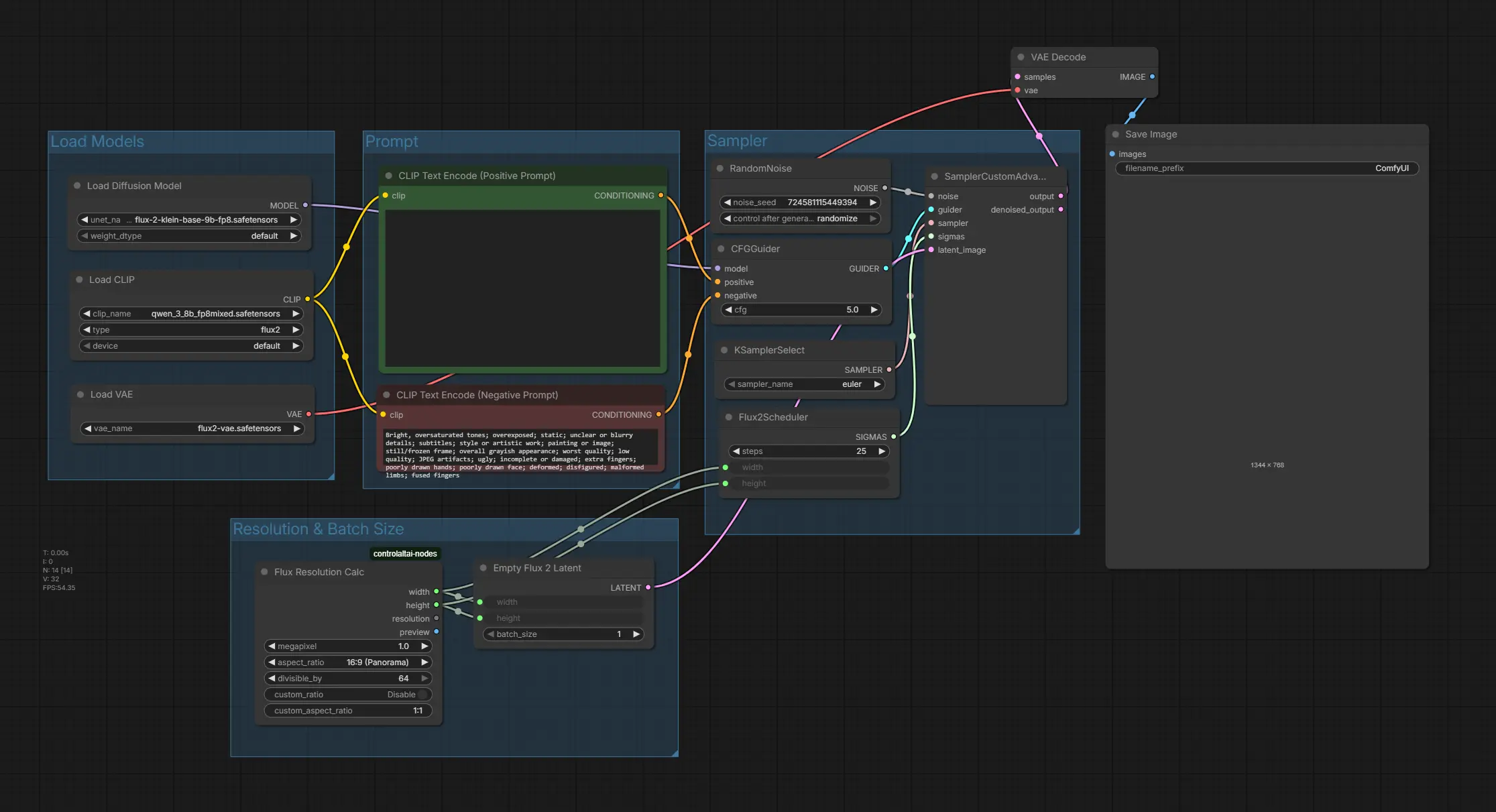
Designed for generating images from text prompts using FLUX 2.0 [klein] models. Ensure all nodes are loaded and the correct model (4B or 9B, Base or Distilled) is selected to match your VRAM capabilities.
-
Image Editing Workflow:
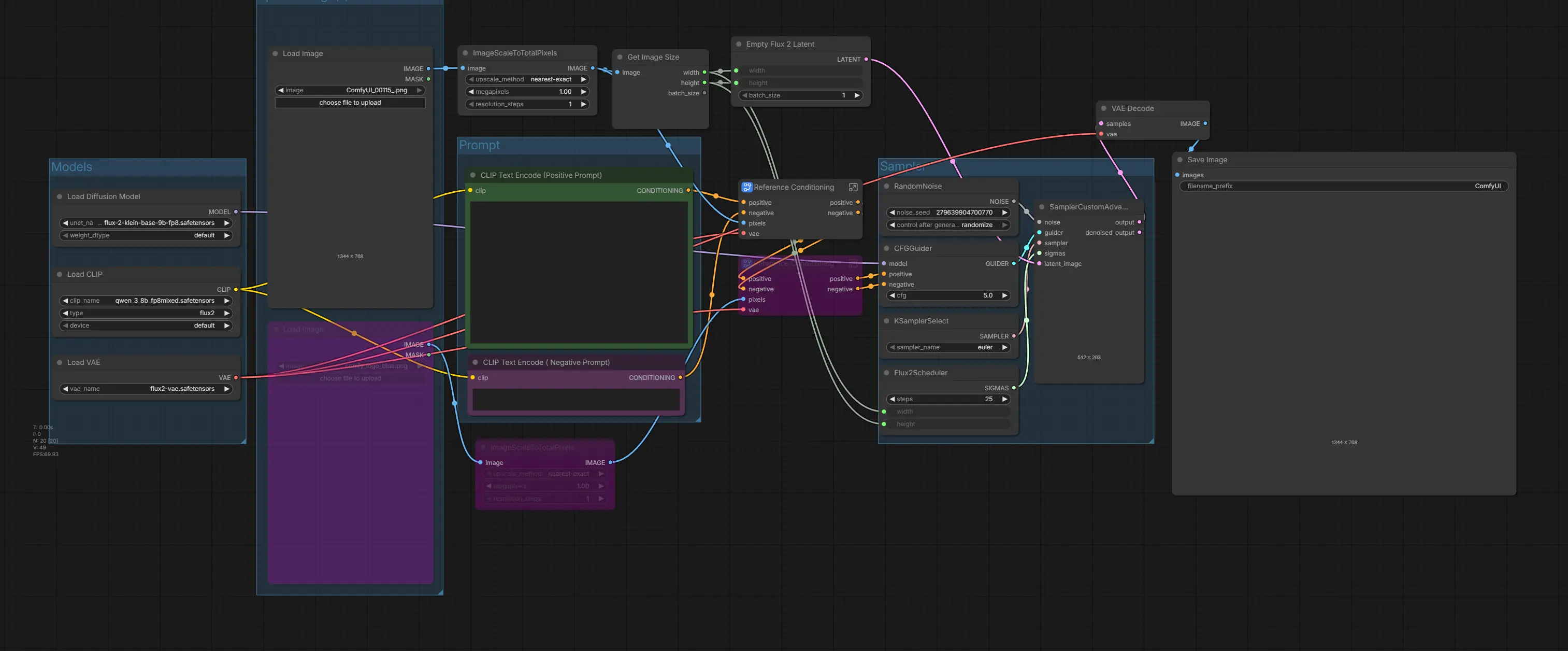
Optimized for editing existing images with single or multi-reference inputs, this workflow requires all custom nodes to be installed. Make sure no nodes have red outlines, and update ComfyUI if you encounter any errors during rendering. For multi-image editing, simply click the purple faded nodes and press Ctrl + B to activate them.
💡 Tip: If you’re using a FLUX 2.0 [klein] Distilled model (not a Base model), make sure to set the CFG Scale to 1.0 and steps to 4 within the sampler group. This ensures the workflow runs at maximum speed while maintaining high-quality outputs.
4. Configuring and Comparing FLUX (klein) Text-to-Image Examples
In this section, we’ll guide you through configuring the FLUX 2.0 [klein] text-to-image workflow in ComfyUI and highlight the differences between models. The table below compares 4B vs 9B and Base vs Distilled models, showing how each choice affects speed, VRAM usage, sampling steps, CFG scale, and required text encoders. Use this as a quick reference to select the optimal model and settings for your hardware and creative needs.
| Model | Type | CFG Scale | Sampling Steps | VRAM Recommendation | Required Text Encoder | Notes |
|---|---|---|---|---|---|---|
| 4B | Distilled | 1.0 | 4 | ≤12GB | qwen_3_4b.safetensors | Fast inference, ideal for low-VRAM GPUs |
| 4B | Base | 5.0 | 50 (range 25–50) | ≤12GB | qwen_3_4b.safetensors | High-quality outputs, customizable |
| 9B | Distilled | 1.0 | 4 | 24GB+ | qwen_3_8b_fp8mixed.safetensors | Fast, high-res generation |
| 9B | Base | 5.0 | 50 (range 25–50) | 24GB+ | qwen_3_8b_fp8mixed.safetensors | Maximum quality, fine-tuning possible |
💡 Tip: Make sure to use the correct text encoder for each model to avoid shape mismatch errors like "mat1 and mat2 shapes cannot be multiplied (1024x12288 and 7680x3072)".
4B Model Comparison: Distilled vs Base (Text to Image)
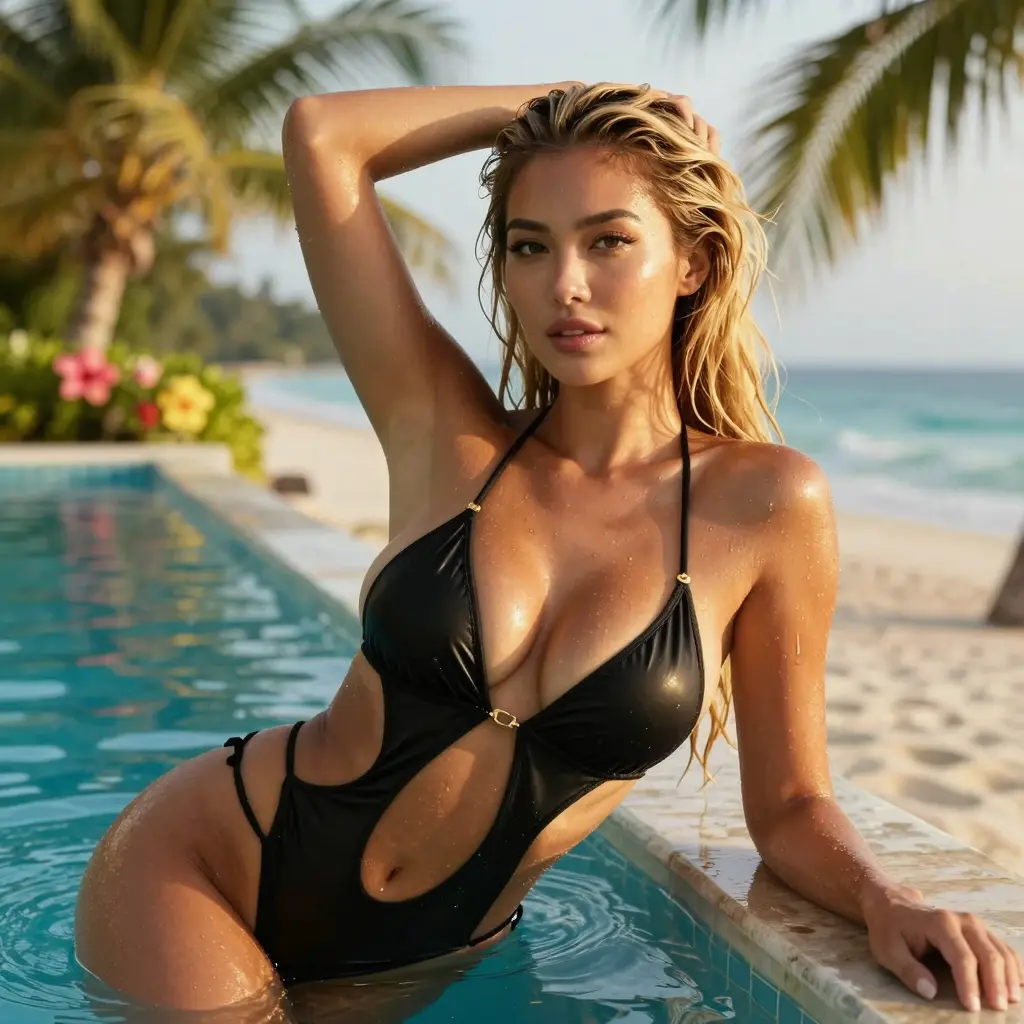
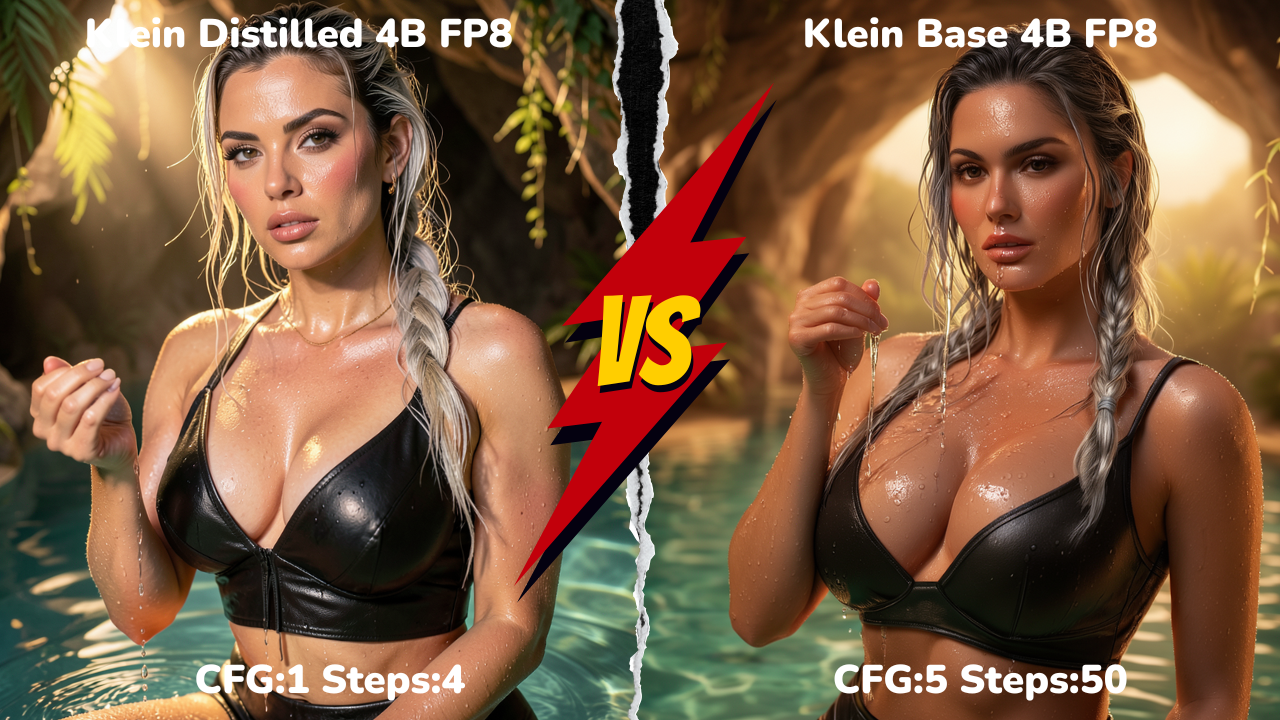 Explore how the FLUX 2.0 [klein] 4B Distilled and Base models differ in image quality, detail, and fidelity. The Distilled model runs in just 4 steps for fast generation, often producing clean and sharp results, while the Base model uses 50 steps, which can sometimes make images look slightly overcooked or over-processed.
9B Model Comparison: Distilled vs Base (Text to Image)
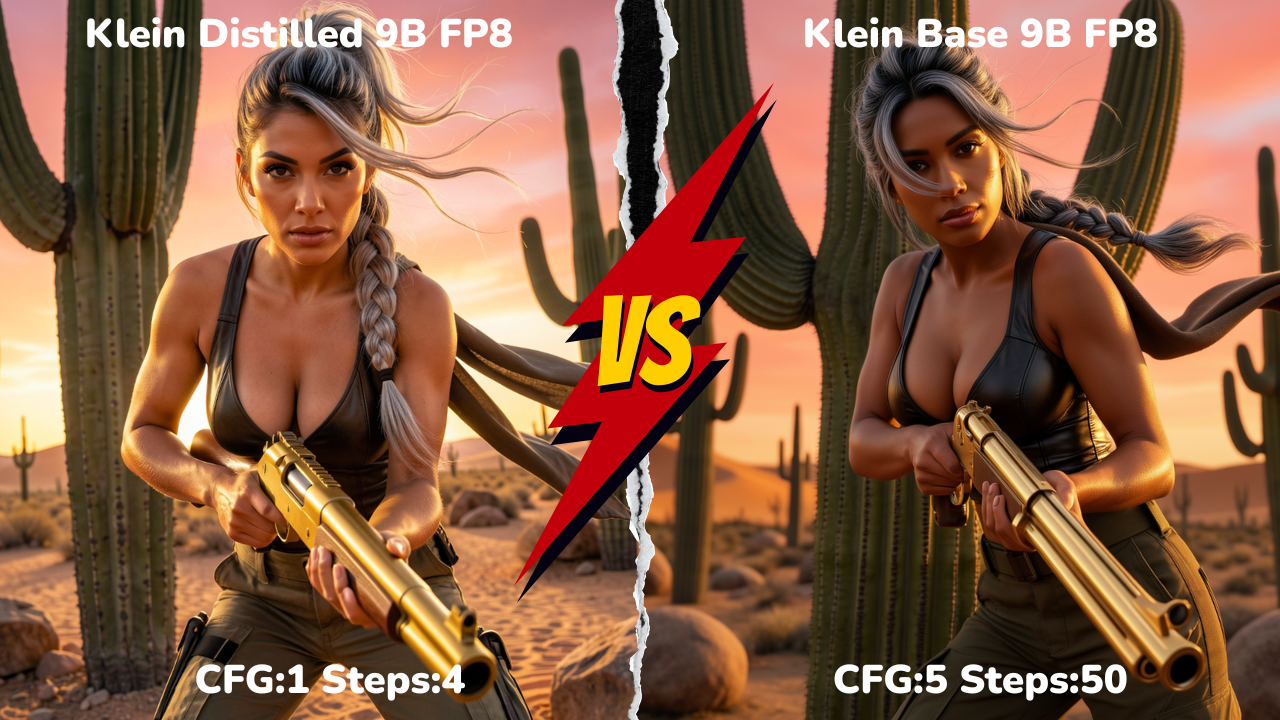 Compare the FLUX 2.0 [klein] 9B Distilled and Base models to see differences in high-resolution detail, texture, and overall image fidelity. Interestingly, the Distilled 9B model, despite using only 4 steps, can produce sharper or more appealing results in some cases, while the Base model with 50 steps prioritizes maximum customization and fine-tuning.
Conclusion: FLUX 2.0 [klein] Text to Image - 4B vs 9B Model Comparison
Frankly, for text-to-image, FLUX 2.0 [klein] falls short for commercial use. The 9B models are restricted by the Non-Commercial license, leaving only the 4B models—which struggle with anatomy, hands, and fine details. With these limitations, FLUX 2.0 is far behind Z-Image (turbo) models in terms of quality, consistency, and production readiness.
In the next section, we’ll explore and compare how each FLUX 2.0 [klein] model performs in image editing, highlighting differences in detail, multi-reference handling, and overall output quality.
5. Configuring and Comparing FLUX (klein) Single and Multi Image Editing Examples
In this section, we’ll guide you through setting up the FLUX 2.0 [klein] image editing workflow in ComfyUI and explore how different models perform. Similar to text-to-image comparisons, we’ll look at 4B Distilled vs. 4B Base and 9B Distilled vs. 9B Base, highlighting differences in single-image edits, multi-reference handling, and overall output fidelity. This side-by-side comparison will help you determine which model is best suited for your image editing needs. Let’s begin with some single-image edit examples.
1. Comparison of Single-Image Editing with FLUX 2.0 [klein] - 4B & 9B
We’ll start by editing a single image, with the initial image below serving as the base for all subsequent single-image edits and we will compare the 4B (Distilled & Base) & 9B (Distilled & Base) models.

4B and 9B Model Comparison: Distilled vs Base (Single Image Edit)
In this section, we compare the performance of the Distilled 4B model and the Base 4B model across different types of image edits.
Background Change (Single Image Edit)
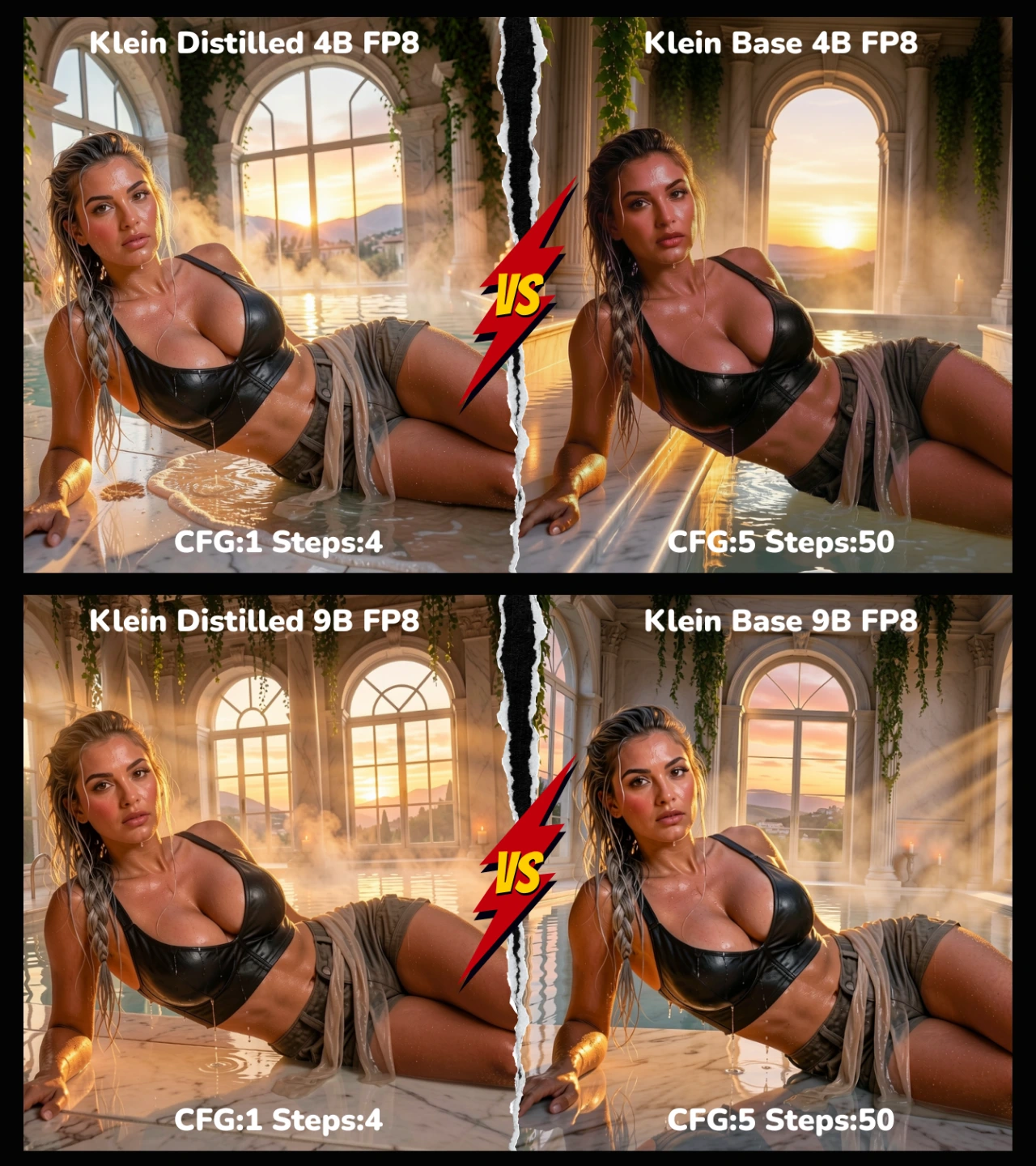
Image Edit prompt: "Replace the entire background: change the desert oasis cave-beach setting to a luxurious ancient Roman-style marble bathhouse interior at golden hour, with huge arched windows showing a Mediterranean sunset landscape, steam rising from hot spring water, ornate columns, hanging ivy, soft candlelight mixing with golden sun rays. Keep the woman's exact pose (reclining on her side on sand/water edge), body position, massive voluptuous breasts, wet skin, water droplets, silver-streaked messy braid hairstyle, black leather crop top and tactical shorts, seductive expression, lighting mood, and all foreground details completely unchanged. Seamless integration, realistic reflections on marble, perfect coherence, photorealistic 8k"
Pose Change (Single Image Edit)
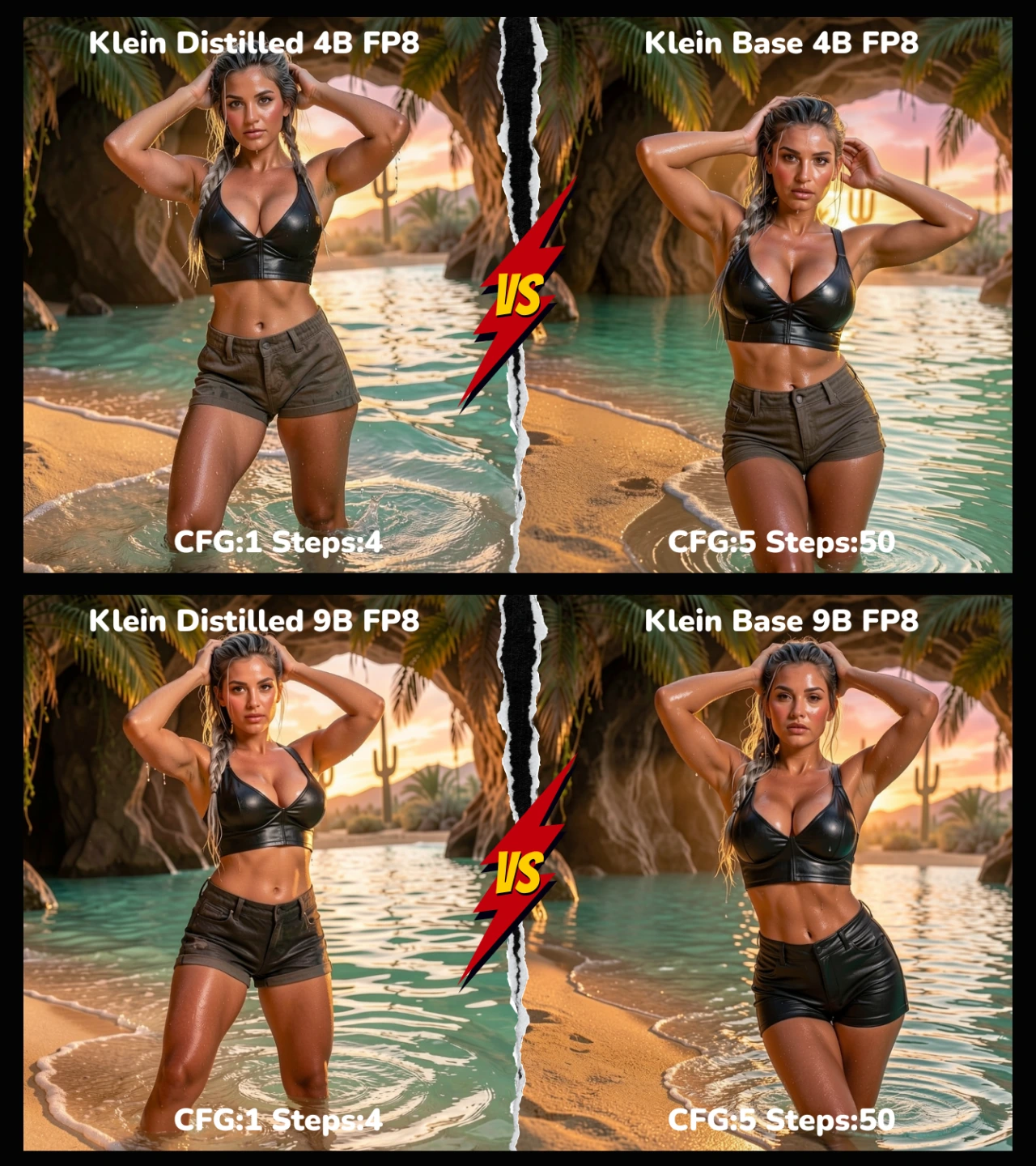
Image Edit prompt: "Change only the pose: make her stand confidently in the shallow turquoise water at the cave-beach edge, one leg slightly forward and bent, both hands raised running fingers through her hair, back gently arched, chest thrust forward sensually, water up to mid-thigh. Keep the exact same silver-streaked messy braid hairstyle, massive voluptuous breasts with natural weight/physics, wet skin and droplets, black leather crop top and shorts, sultry heavy-lidded expression, golden hour lighting, cave-oasis-beach background, and every other detail identical. Realistic body movement and balance, no distortions, photorealistic 8k"
Hairstyle Change (Single Image Edit)
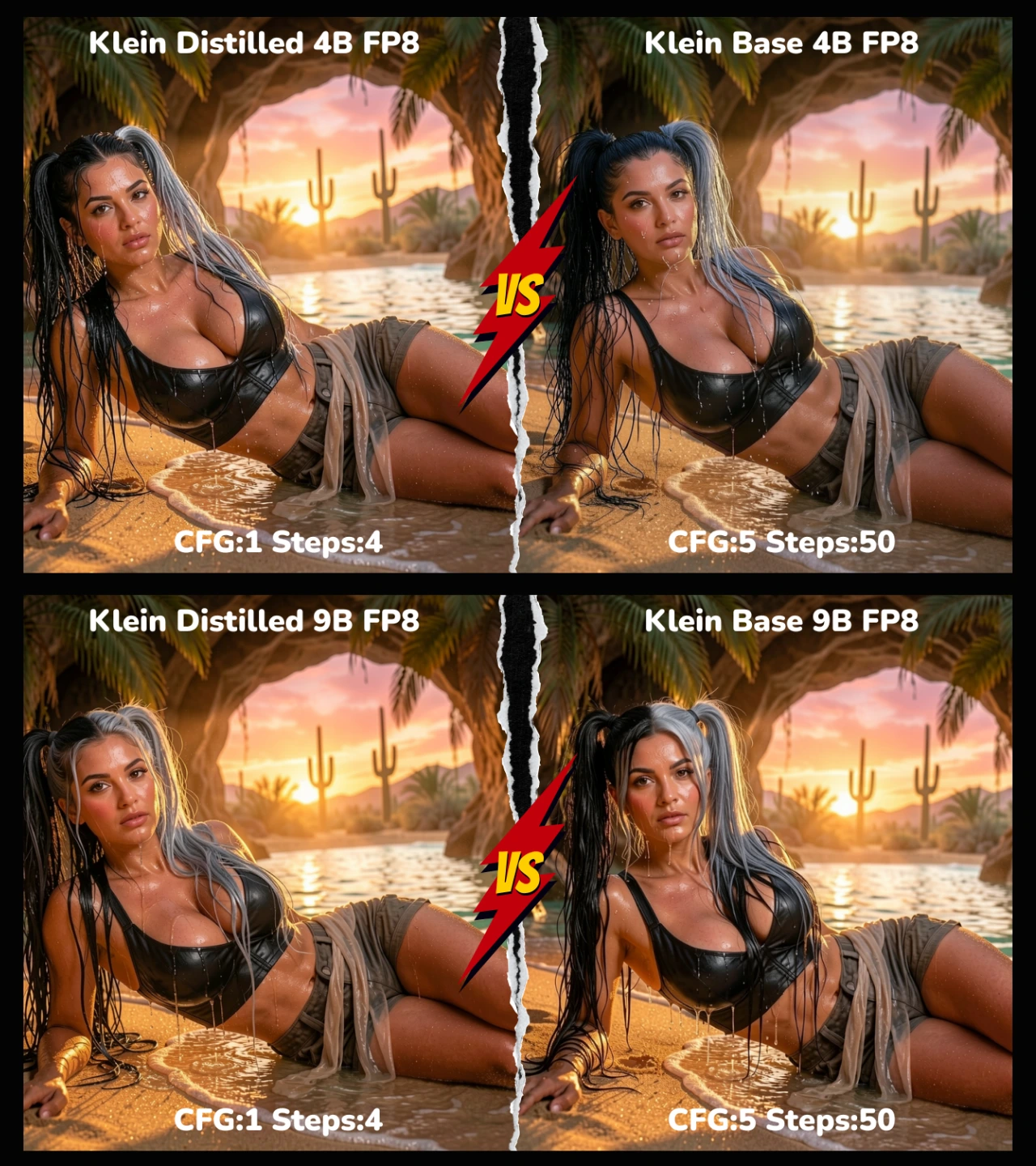
Image Edit prompt: "Change only the hairstyle: replace the braid with sexy long, wet, voluminous high twin tails (pigtails), loosely tied, no braid. Hair color split — dark black on the left side, glossy grey/silver on the right side. Thick wet strands cascade messily down back/shoulders, clinging erotically to skin, neck, cheeks, and tops/sides of massive breasts, dripping water droplets, glossy shine, playful seductive vibe with loose flyaways. Keep reclining pose, massive voluptuous breasts, wet skin/droplets, black leather crop top, sultry expression, golden hour lighting, desert oasis cave-beach background, and all other details exactly the same. Ultra-realistic wet hair physics, perfect strand adhesion, photorealistic 8k"
Clothing Style Change (Single Image Edit)
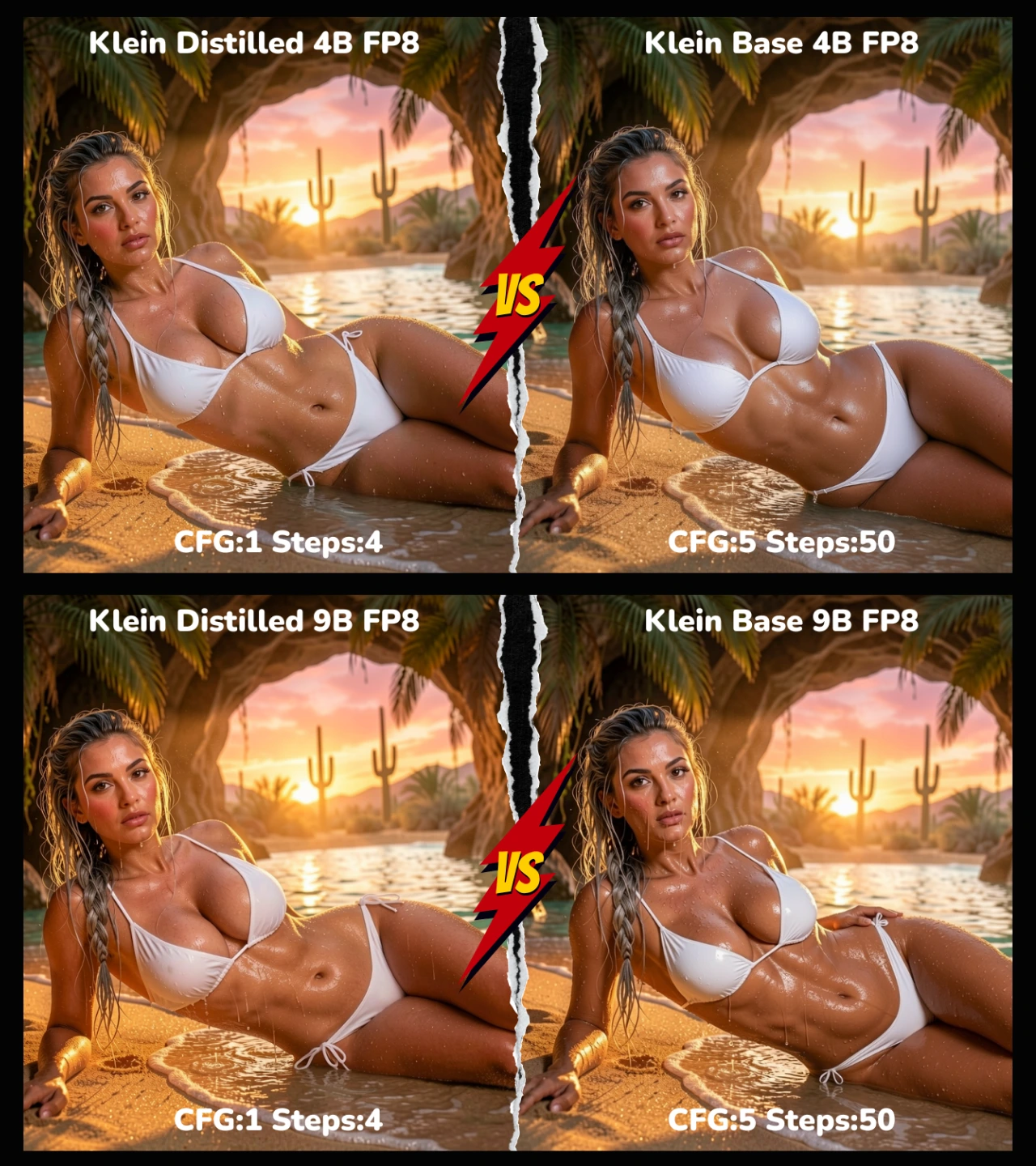
Image Edit prompt: "Change only the outfit: replace with a sexy wet white micro-bikini — tiny triangle top barely covering nipples with thin strings tying behind neck/back, high-cut thong bottoms with narrow side strings. Fabric soaked and semi-sheer, clinging tightly to massive voluptuous breasts and hips, deep overflowing cleavage fully visible, natural heavy weight emphasized. Lightly dusted with water droplets (no snow). Keep original silver-streaked messy braid hairstyle (wet strands clinging to skin, neck, cheeks, breasts), reclining-on-side pose, wet skin/droplets, sultry heavy-lidded stare, golden hour lighting, desert oasis cave-beach background, and all other details exactly the same. Ultra-realistic wet fabric physics, perfect cling and transparency, photorealistic 8k"
Camera Angle Change (Single Image Edit)
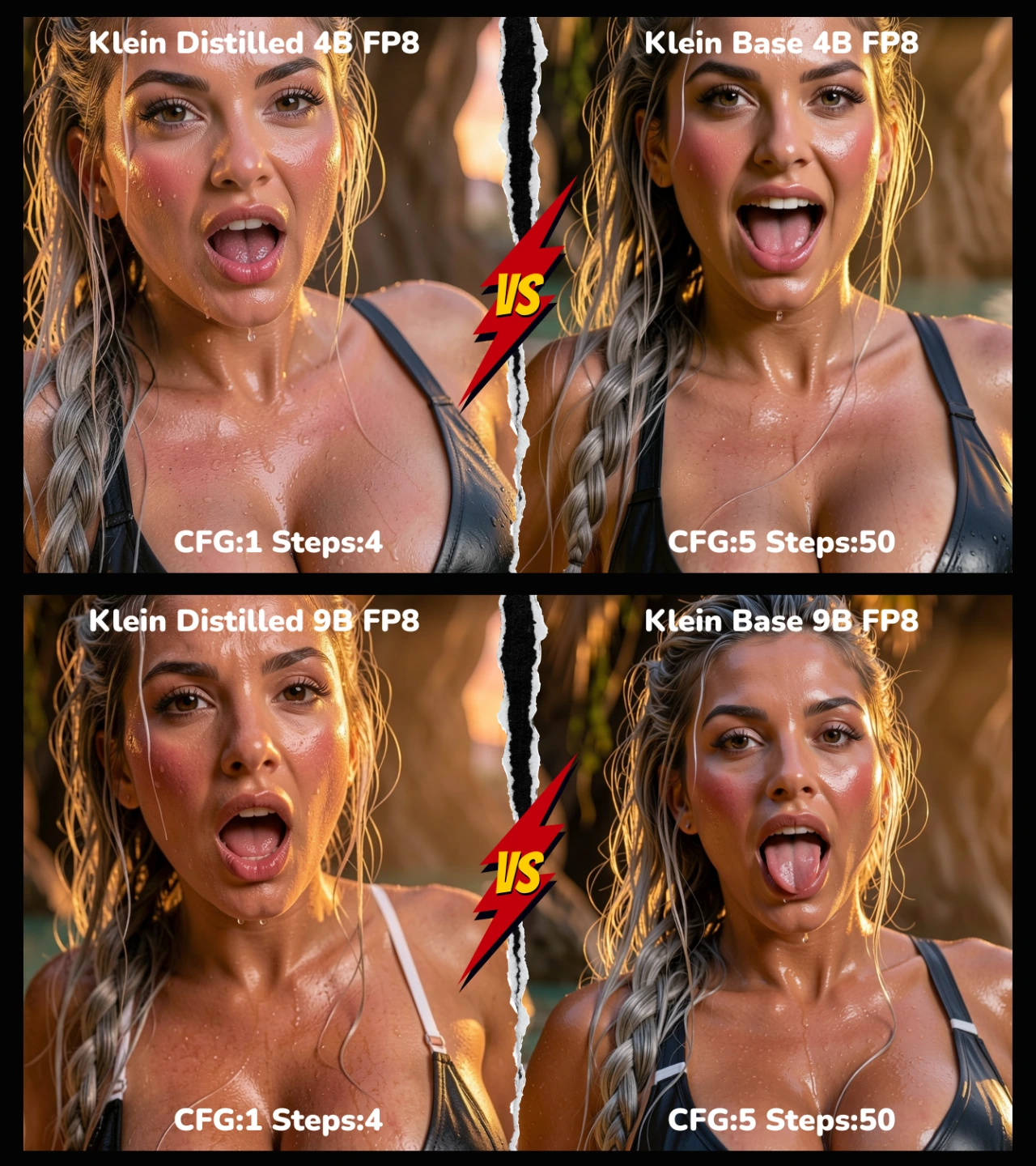
Image Edit prompt: "Transform to extreme close-up portrait: crop tightly on face, shoulders, and deep overflowing cleavage of massive voluptuous breasts. Change expression to highly sensual — mouth open in soft gasp, full lips parted wide, tongue slightly visible and glistening with water droplets, heavy-lidded eyes locked on viewer in raw desire, breathy inviting look. Keep wet silver-streaked messy braid (strands clinging to flushed cheeks, neck, and breast tops), wet skin/droplets rolling down cleavage, tiny wet white micro-bikini strings barely holding on, golden hour lighting with palm frond shadows and warm amber glow, subtle cool rim light on lips/tongue/curves. Ultra-detailed textures: razor-sharp skin pores, glossy lips/tongue shine, fine water beads on mouth and cleavage, soft bokeh of rippling pool and cave rock behind. Shallow focus laser-sharp on open mouth, tongue, eyes, heaving cleavage, wet hair strands. Keep all other elements (pose body position, background details) consistent but heavily cropped. Photorealistic, cinematic, intense erotic atmosphere, 8k"
2. Comparison of Multi-Image Editing with FLUX 2.0 [klein] - 4B & 9B
In this section, we’ll showcase multi-image editing examples using FLUX 2.0 [klein]. Two reference images are combined and edited across all models below (4B and 9B, Base and Distilled), allowing you to directly compare how each model handles blending, consistency, and overall image quality.
Example 1 (multi image edit): Clothing Change (Character + Clothing Reference)
In this example, we perform a clothing change edit by combining a character image with a separate clothing reference image. The initial character and clothing reference images are shown below and are used as the base inputs for all model comparisons.
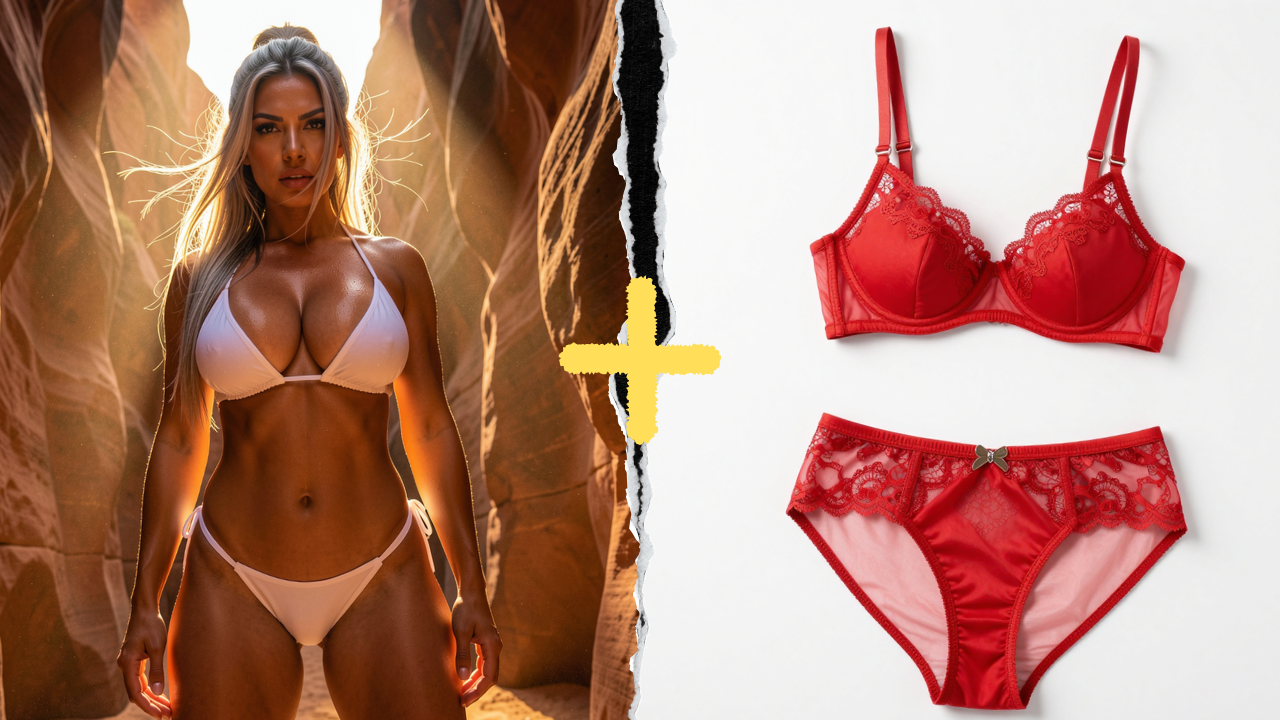
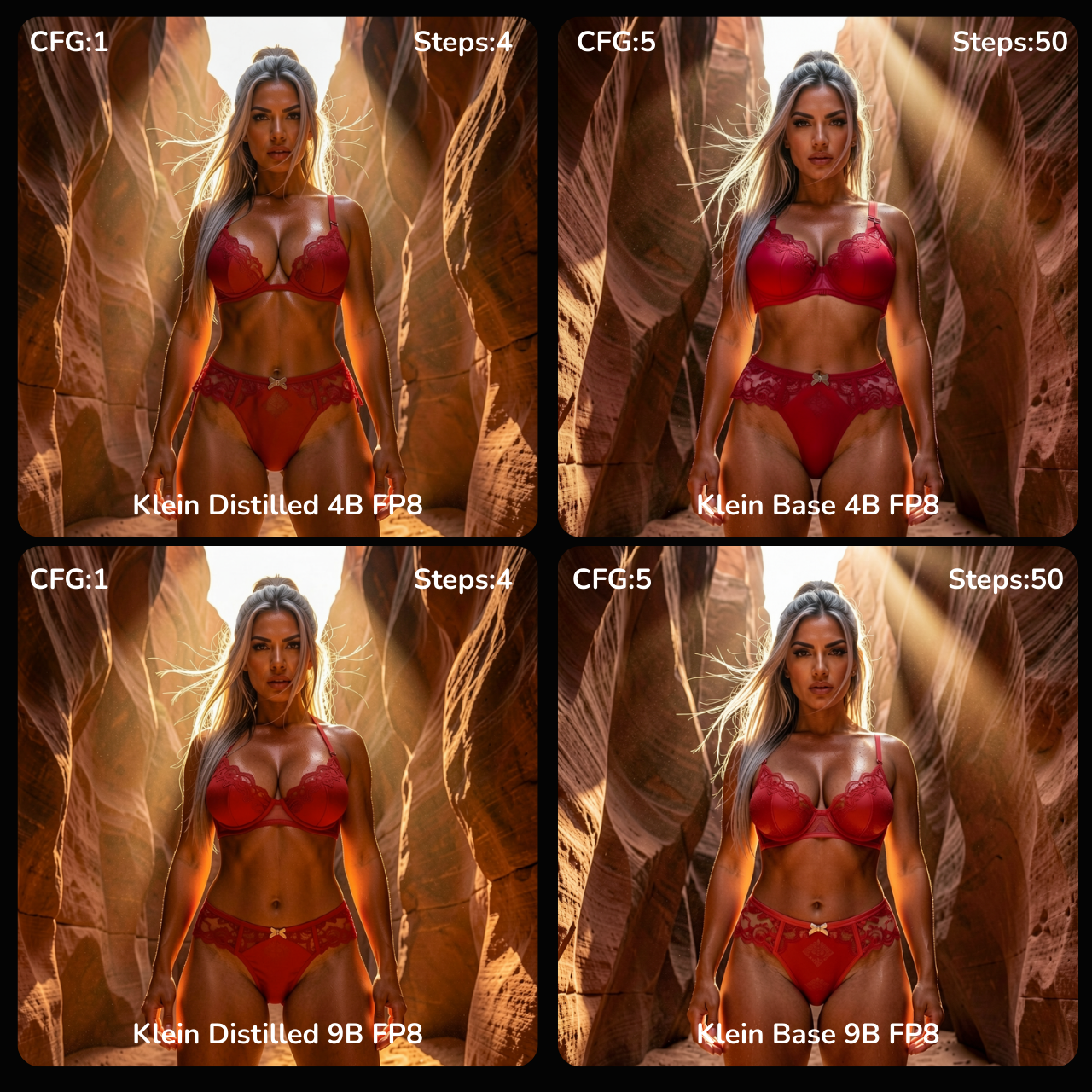
Image Edit Prompt: "Replace the tiny white micro-bikini with the exact red lingerie set shown in the second reference image — include all details like lace patterns, straps, cut, fabric texture, transparency, and fit. The lingerie should hug her massive voluptuous breasts naturally with realistic weight, deep cleavage, and subtle sheen under the golden hour light. Keep her face, ethnicity, skin tone, expression (fierce seductive stare down), hair (long sleek silver-streaked windswept half-up style), pose (natural standing, legs shoulder-width apart), body proportions, skin texture, sand dust, and every other detail exactly the same. Preserve the dramatic low angle from canyon floor, towering red sandstone walls, god rays, half-face golden light, cool shadows, strong rim light on curves and hair. Ultra-realistic fabric physics, perfect seamless integration, no distortions, photorealistic 8k."
Example 2 (Multi-Image Edit): Product Placement (Character + Product Reference)
In this example, we test product placement editing by combining a character image with a separate product reference. The goal is to have the character naturally hold or interact with the product while maintaining correct lighting, perspective, and hand anatomy. The character and product reference images shown below are used for all model comparisons.
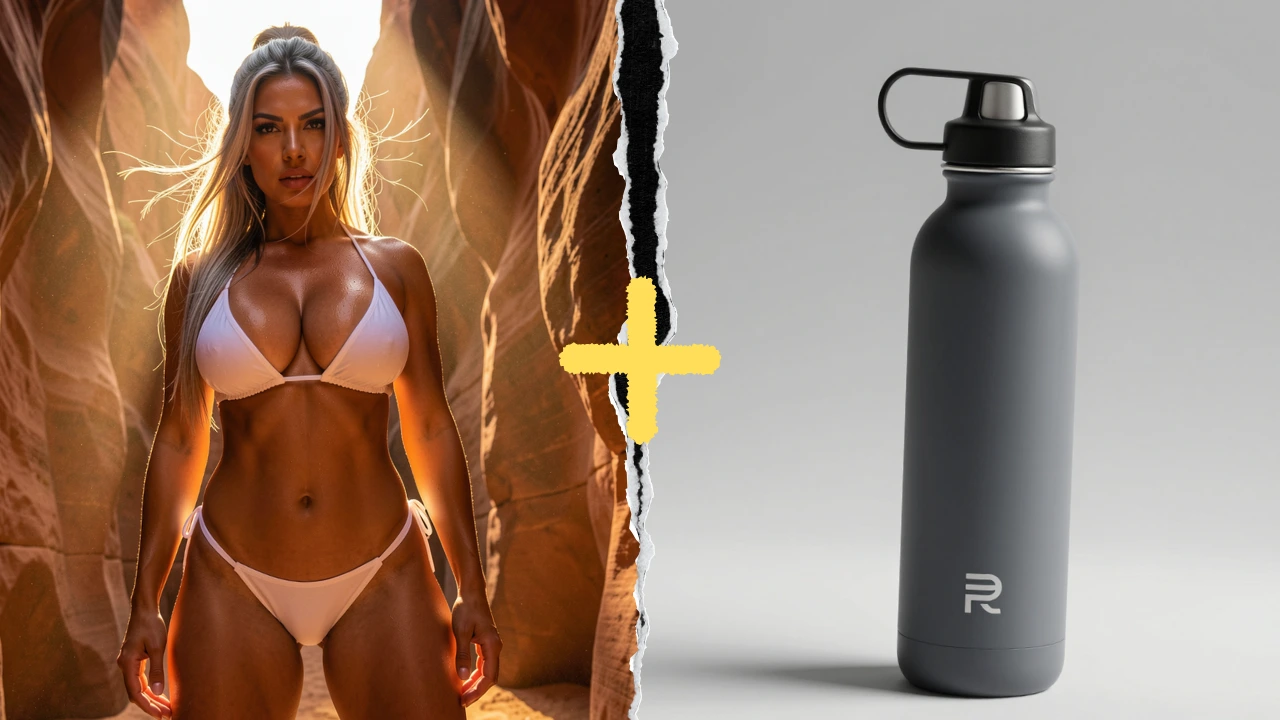
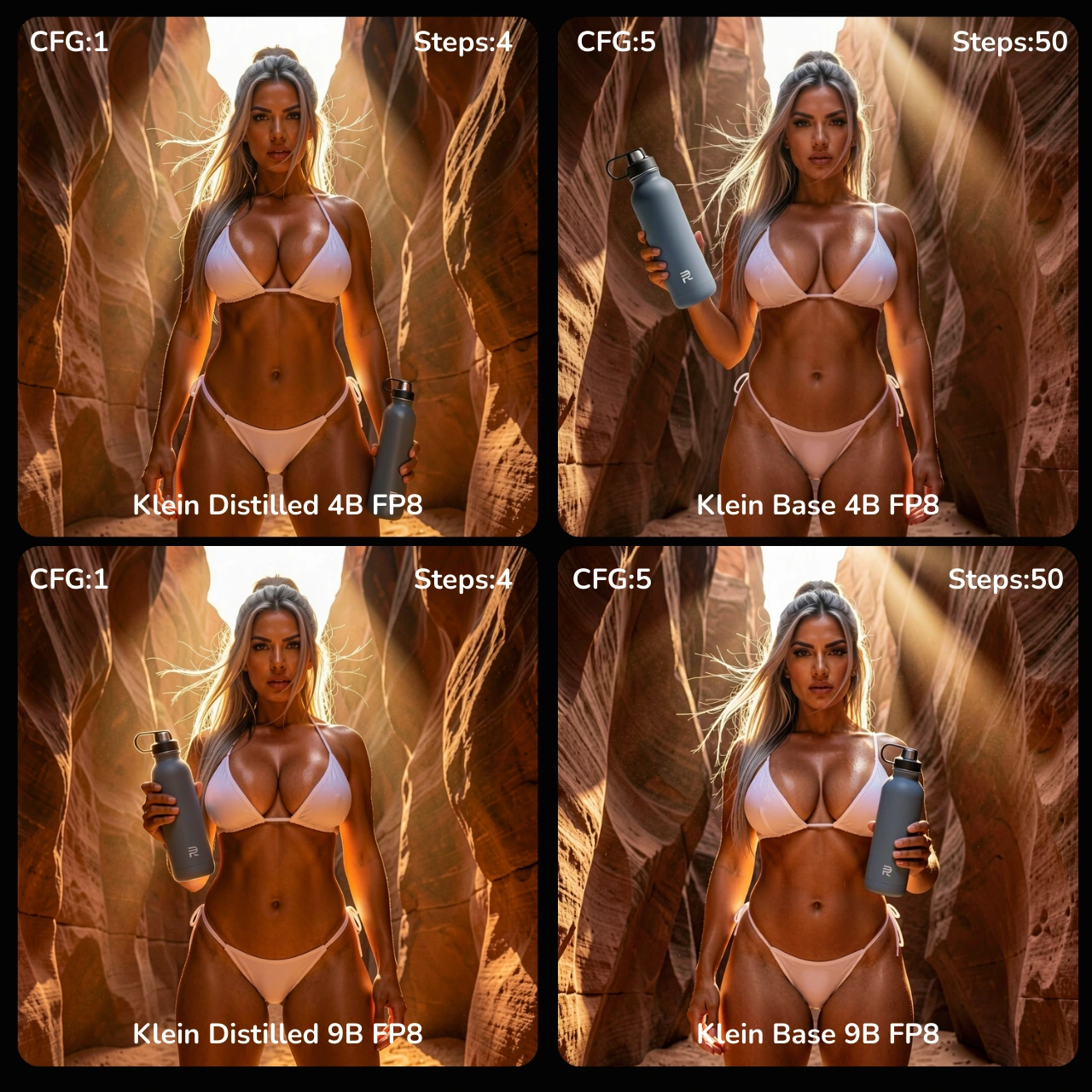
Image Edit Prompt: "Replace the object in the character’s hand with the exact water bottle shown in the second reference image — include all details like logo placement, bottle shape, material texture, reflections, and cap design. Keep the character’s face, expression, pose, body proportions, skin tone, hair, clothing, and all other details exactly the same. Preserve the original lighting, shadows, reflections, depth, and camera angle, including subtle highlights and rim light on the bottle and hand. Ensure realistic interaction between the hand and product, perfect integration, no distortions, and photorealistic 8K detail.."
Example 3 (Multi-Image Edit): Clothing + Text + Logo (Character + Clothing Reference)
In this example, we perform a clothing change edit by combining a character image with a separate clothing reference image including text and logo. The initial character and clothing reference images are shown below and are used as the base inputs for all model comparisons.
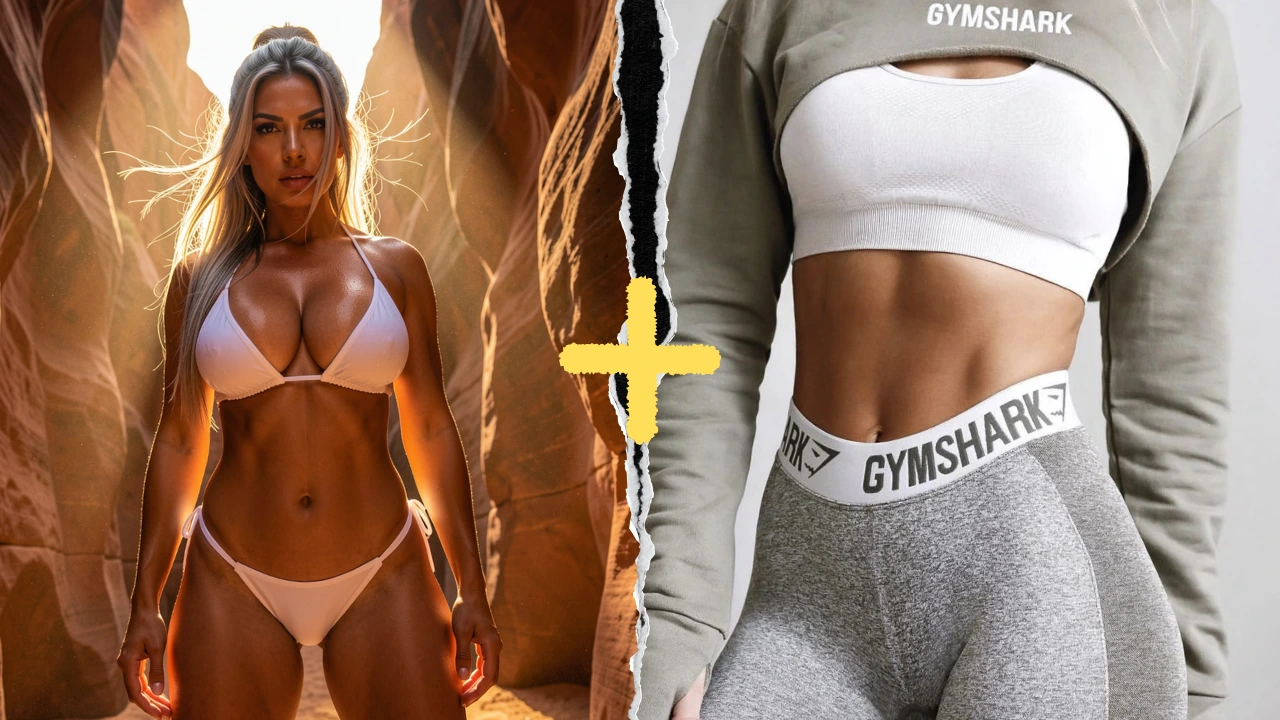
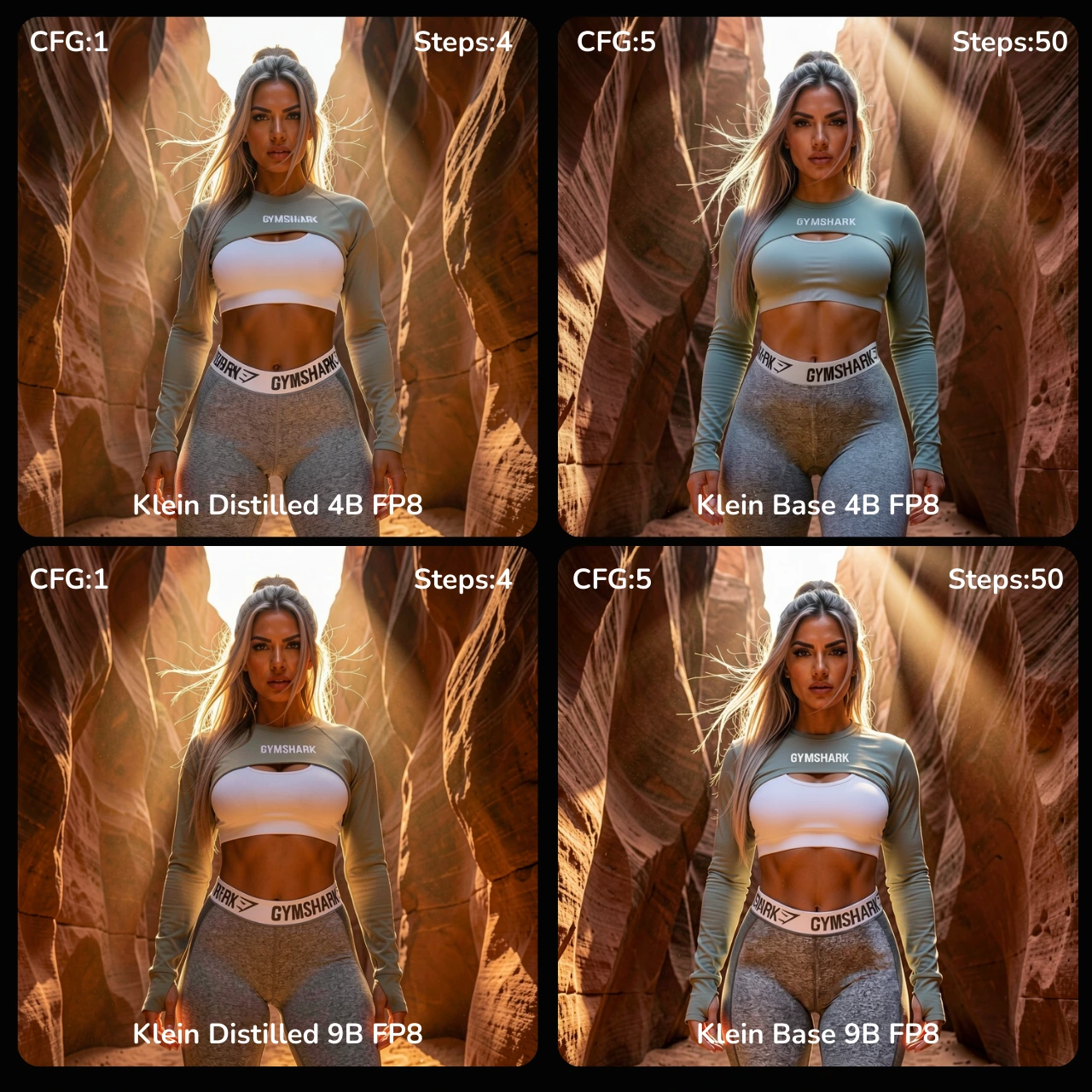
Image Edit Prompt: "Replace the character’s current clothing with the exact sport outfit shown in the second reference image, including fitted athletic shirt and leggings, with all details like fabric texture, seams, patterns, and logos. Keep the character’s pose, body proportions, face, skin tone, expression, and hair exactly the same. Preserve the original lighting, shadows, reflections, and camera angle, ensuring the outfit fits naturally and realistically over the body. Maintain proper cloth physics, folds, and stretch, seamless integration, and photorealistic 8K detail."
6. Conclusion
FLUX 2.0 [klein] delivers mixed results. For text-to-image, commercial use is restricted to the 4B models, which struggle with anatomy, hands, and fine details—making them inconsistent and far behind alternatives like Z-Image (Turbo) in quality and reliability.
For image editing, the 4B Distilled (4-step) model is fast and often capable of good single-image edits on low-VRAM hardware, but even here, multi-image edits are inconsistent and usually require multiple renders and careful prompting. The 9B models, though restricted by the Non-Commercial license, handle multi-image edits much better, producing more coherent results across references.
In short: FLUX 2.0 [klein] underdelivers for commercial text-to-image workflows, and while the 4B Distilled model is usable for single-image edits, the best multi-image editing performance remains locked behind the 9B Non-Commercial models.